
How Cheasy Apply Tailors Your Resume for Any Job in Seconds
September 6, 2025
Landing your dream job often means tailoring your resume for every single application. This can be time-consuming and tedious, but what if you could automate resume optimization with just a few clicks? Today, I'll show you how I used Cheasy Apply to effortlessly optimize my resume for a specific job, making my application stand out without the usual hassle.
My Step-by-Step Walkthrough to a Tailored Resume
Here's how Cheasy Apply transformed my application process:
1. Open the Job, Start the Scan!
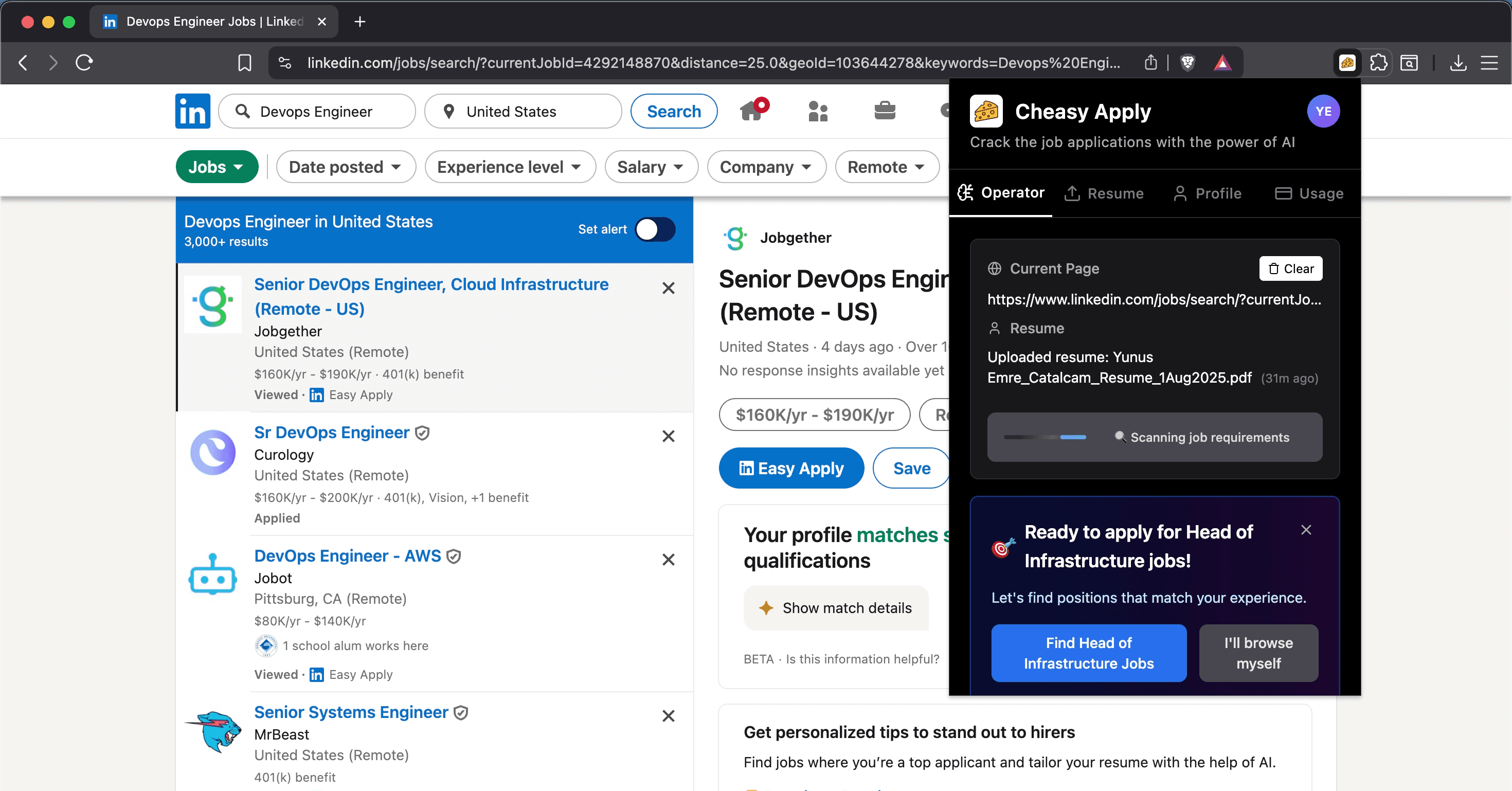
First, I found a job I wanted to apply for. The beauty of Cheasy Apply is that you don't even need to read the job description yourself! All I did was:
- Open the job description page in my browser
- Open the Cheasy Apply extension
- Click "start analysis"
The extension then scanned everything on the job description page for me, instantly.
2. Instant Feedback: Match Score & Improvement Areas
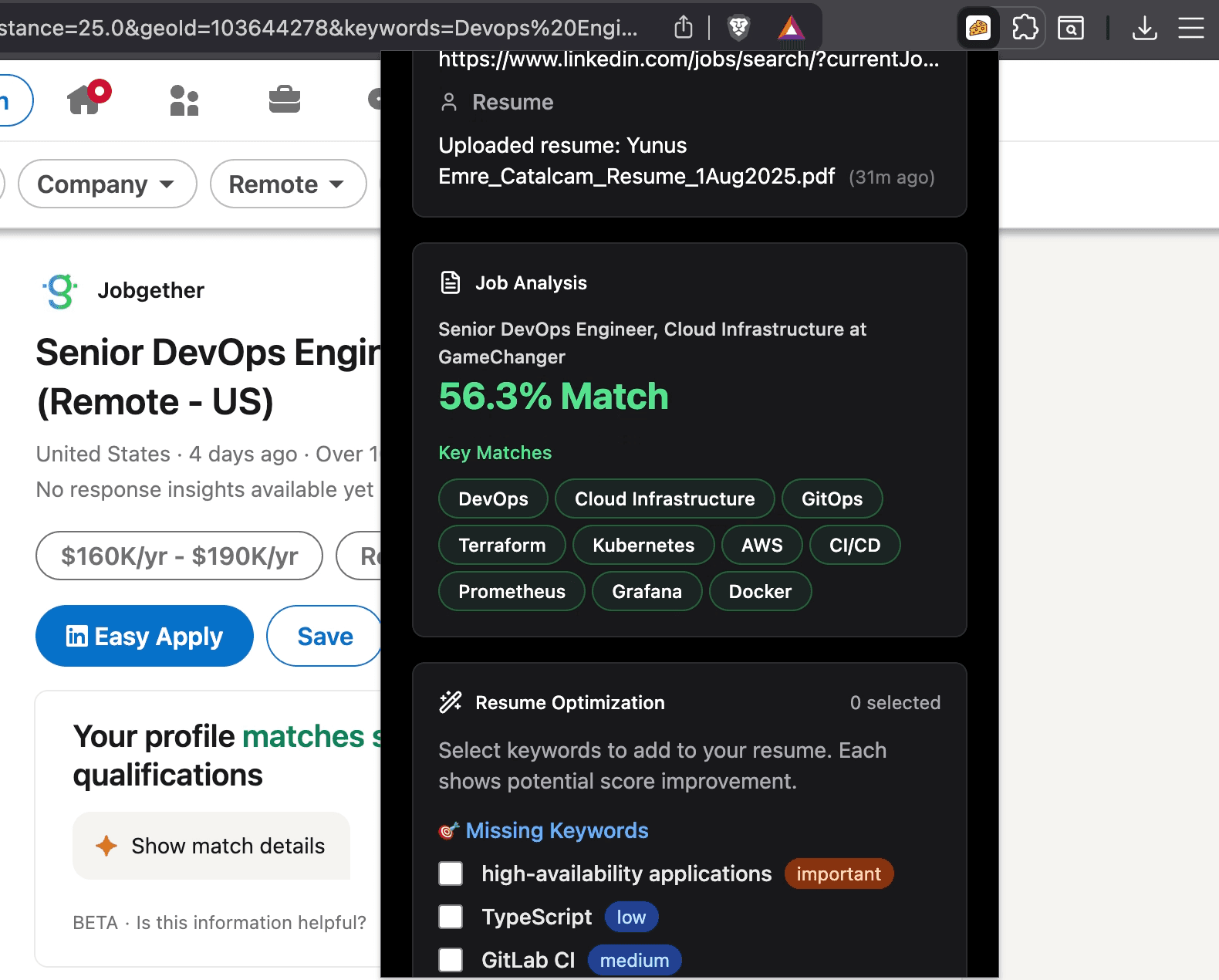
Within moments, Cheasy Apply provided a match score for my existing resume against the job requirements. It also highlighted specific areas where my resume could be improved to better align with the role.
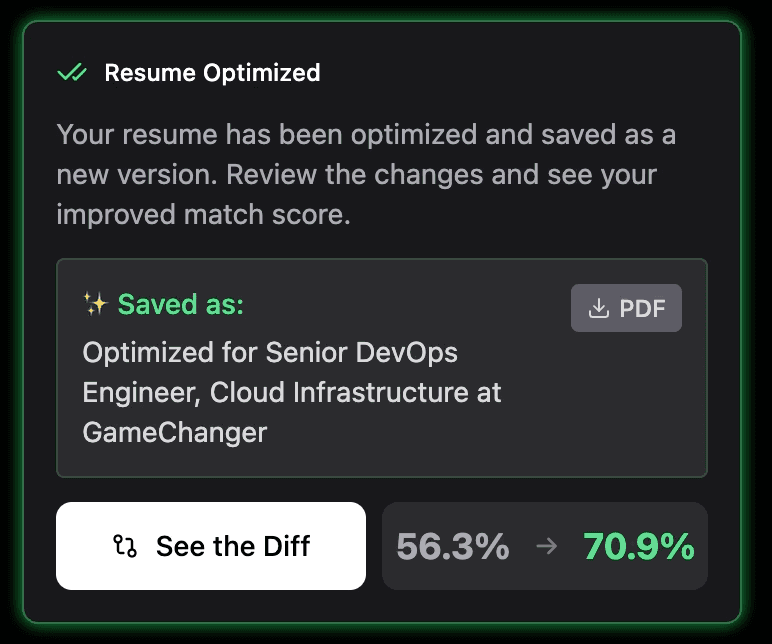
3. One Click to an Optimized Resume
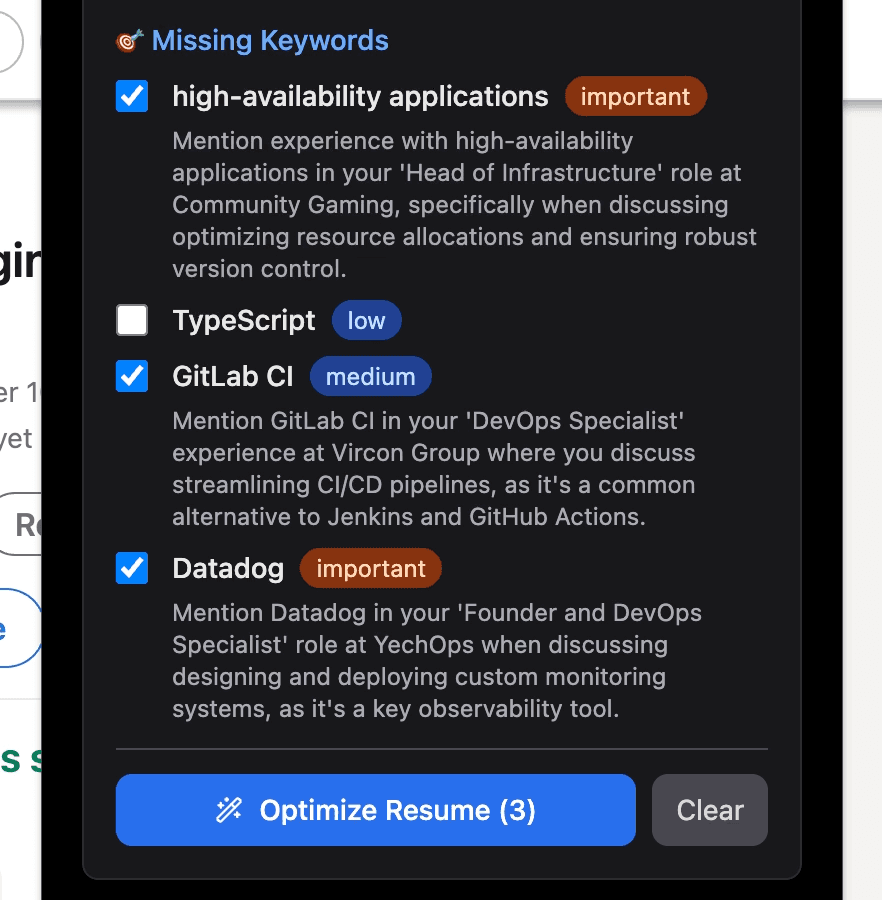
After reviewing the initial analysis, I simply clicked the missing keywords that I want to add and then hit "optimize resume". This is where the magic truly happens! Cheasy Apply demonstrates its intelligence by understanding both my resume and the job requirements. It then automatically do small changes on my resume based on this comprehensive understanding.
4. See the Specific Enhancements
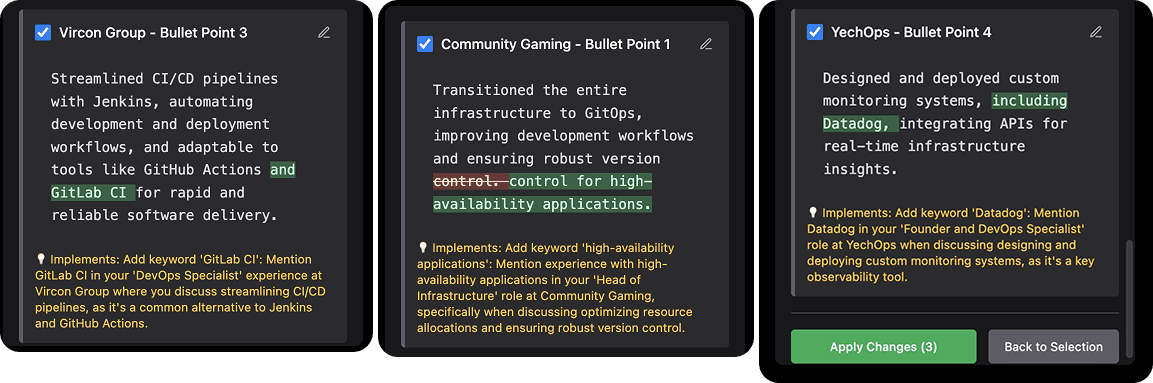
I was impressed by the detailed optimizations. For instance;
- Added "Gitlab CI" to the most relevant section where I discuss about CI/CD experience
- Incorporated "Datadog," a monitoring platform, into the part of my resume where I discuss monitoring systems
- Mentioned high availability in the most proper place
These precise additions ensured my resume was perfectly aligned with the job's needs, showcasing the most relevant skills and keywords without me having to manually edit anything.
5. Download and Apply!
Once the optimization was complete, I could directly download the PDF of my new optimized resume. I saved it, and just like that, I had a perfectly tailored resume ready to go. I could then confidently proceed to apply for the job, knowing my resume was highly optimized for that specific role.
Cheasy Apply truly streamlines the resume optimization process, allowing you to create tailored applications in seconds and focus more on your career goals!
Ready to automate your job hunt? Get started with Cheasy Apply today!
Ready to automate your job hunt?
Free • No credit card required